Some custom scripts I use everyday
published:
I'm sure most of the people who have used the terminal must have run some command like this:
git log --graph --pretty=format:'%Cred%h%Creset -%C(yellow)%d%Creset %s %Cgreen(%cr) %C(bold blue)<%an>%Creset' --abbrev-commit --date=relativeOr
curl -s https://api.github.com/repos/:owner/:repo/issues?state=open\&per_page=100 | jq -r '.[] | "\(.number)\t\(.title)\t\(.user.login)\t\(.created_at)"' | column -t -s $'\t'Then they discover aliases and now they run commands like
prettylogOr
gitstatsWhich make no sense to someone who has never used the terminal.
To create an alias, open up your ~./bashrc (Bash 1) or ~/.zshrc (Zsh 2)
alias prettylog="git log --graph --pretty=format:'%Cred%h%Creset -%C(yellow)%d%Creset %s %Cgreen(%cr) %C(bold blue)<%an>%Creset' --abbrev-commit --date=relative"

alias gitstats="curl -s https://api.github.com/repos/:owner/:repo/issues?state=open\&per_page=100 | jq -r '.[] | "\(.number)\t\(.title)\t\(.user.login)\t\(.created_at)"' | column -t -s $'\t'"
Now let's say you need to run a command which uses multiple lines or chain multiple commands together. For eg:
make clean && make build && make test && make installOr
git add .
git commit -m "Some commit message"
git push origin main
Now you could run these commands sequentially and wait for the output. But once the commands keep on increasing the user may miss some commands which can be bad.
Then how do you run multiple commands without missing any step ?
You use scripts.
So scripts in a nutshell are basically a file containing multiple commands that need to be run. It can be a Bash script (Most common), Perl Script (Good for string manipulation), Python script (For stuff like HTTP requests) etc. But the main idea is to be able to run multiple commands without typing them one-by-one.
Custom scripts are something you'll automatically start writing once you become a terminal power user. It can be for something as simple as say creating a basic web server (If you're using node), you can create a script node_server.sh that runs the following commands so that you do not need to type them one-by-one
npm install
npm run build
npm start
Instead of having to run all 3 commands one-by-one (You could chain them with && to run them as a one-liner too) putting it in a script makes it much more easier for someone who has never seen those commands (And for you too). All they have to do is ./node_server.sh and a web server is spun up.
Do you use custom scripts
Yes I do. In fact I prefer to create a custom script for everything which can be scripted. So my dotfiles are pretty loaded with scripts for the most mundane of tasks too. Some of the scripts are straight-up tools.
My Custom scripts
For my scripts I use 3 main languages rust-script 3, bash 1 and zsh 2
I'll be sharing the scripts which I use everyday. To find out my other scripts, take a look at my dotfiles 4.
One script to add, commit and push (acp)

So normally people run these commands separately
git add .
git commit -m "Commit Message"
git push origin main
With acp it becomes a single command. It also allows for choosing what type of commit it was (Conventional Commits Syntax 5).
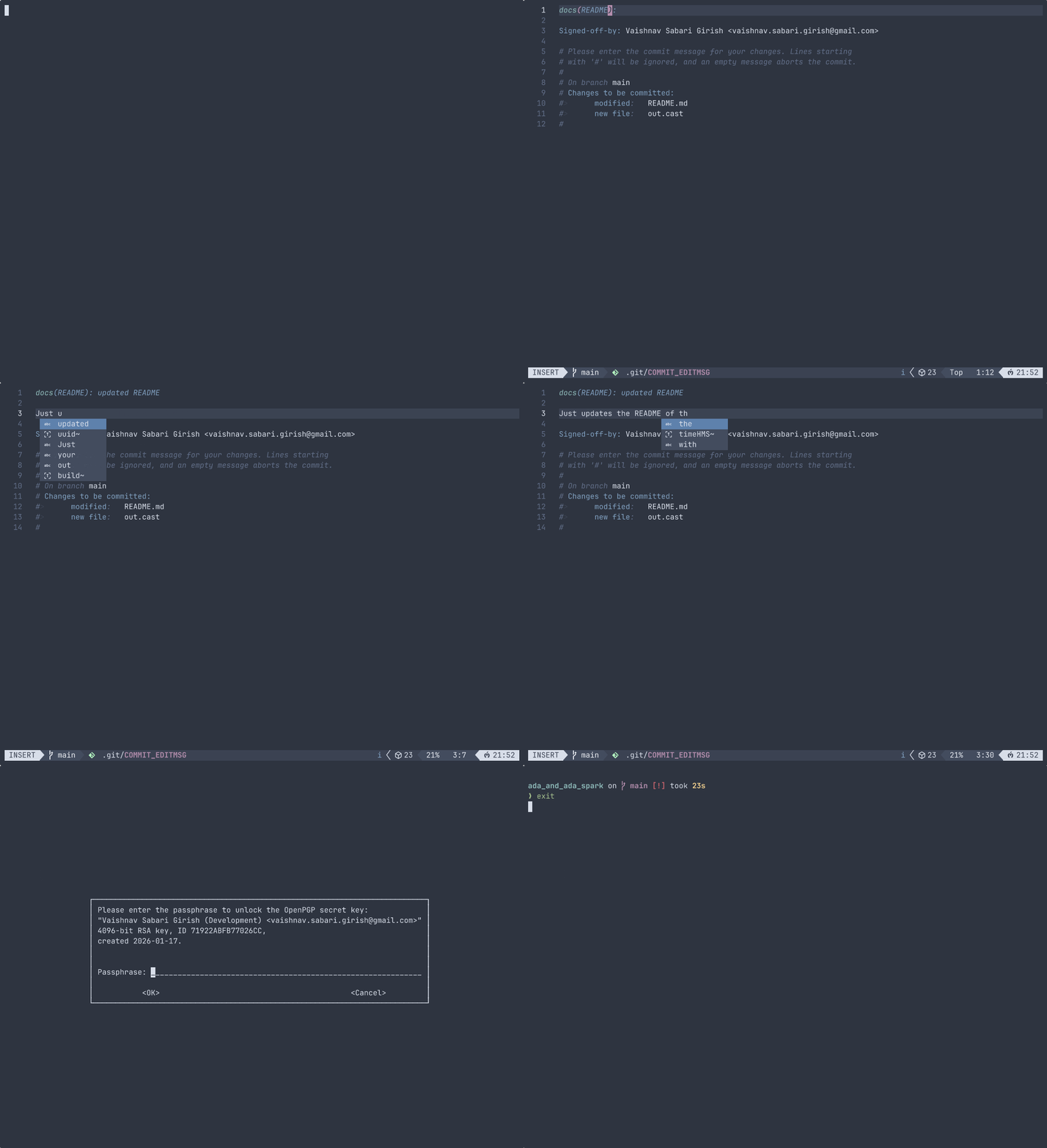
Link to the script: https://codeberg.org/Vaishnav-Sabari-Girish/dotfiles/src/branch/main/zsh/.zsh_functions#L51
A single script to create projects for multiple languages (mkproj)

Whenever you create a new project for a language you have to setup a few things (cough C/C++ cough). It can be the build system, or some thing else.
mkproj allows you to create projects for multiple languages without needing to remember the command for each one. It lets you choose the language and creates a project for it.
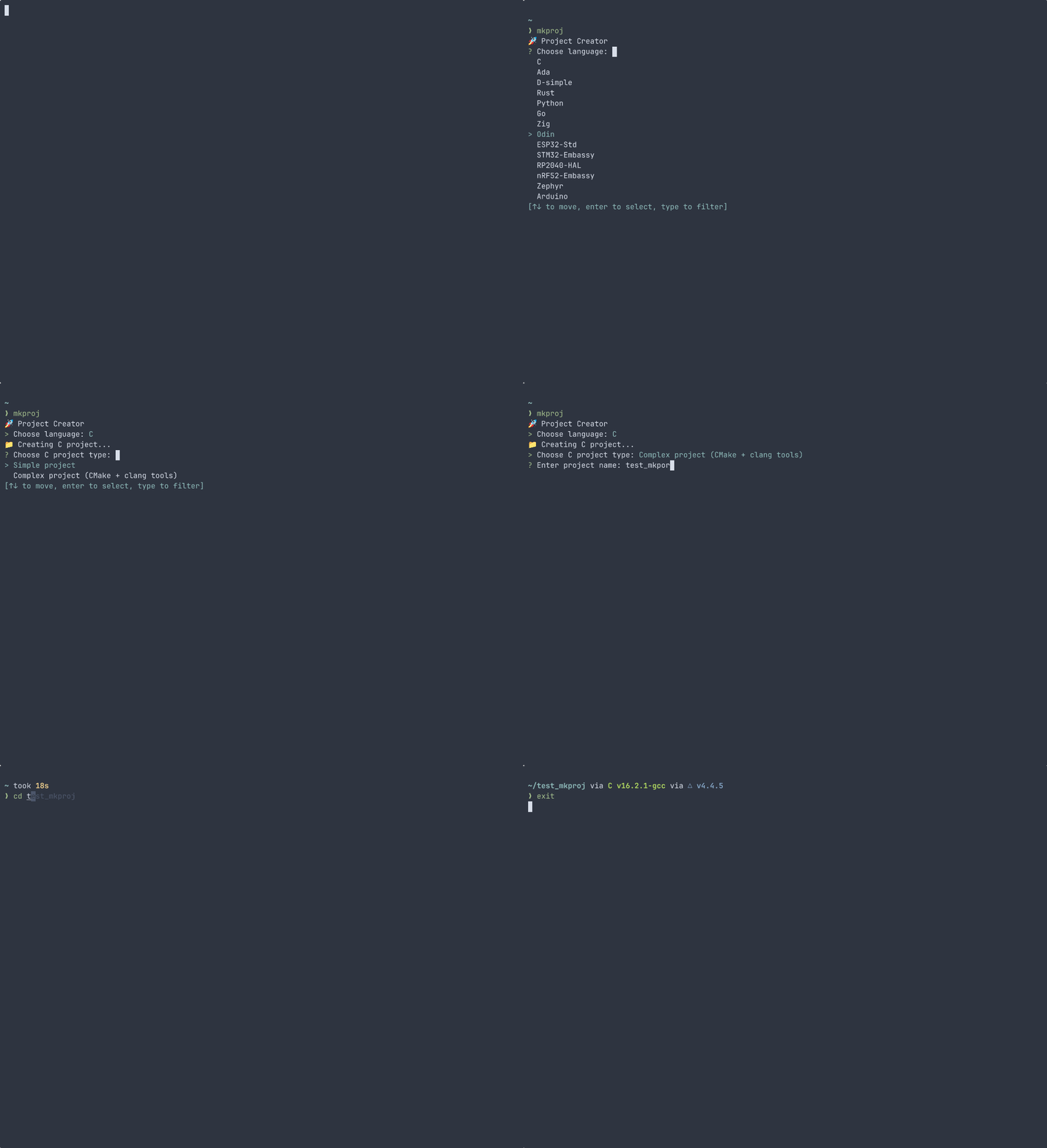
Link to script: https://codeberg.org/Vaishnav-Sabari-Girish/dotfiles/src/branch/main/zsh/.local/bin/mkproj.rs
Terminal based PDF manager (pdf_manager)
Well everyone uses PDF's. And for PDF related tools, most go to websites like ILovePDF or SmallPDF.
Now you can do the same thing in your terminal
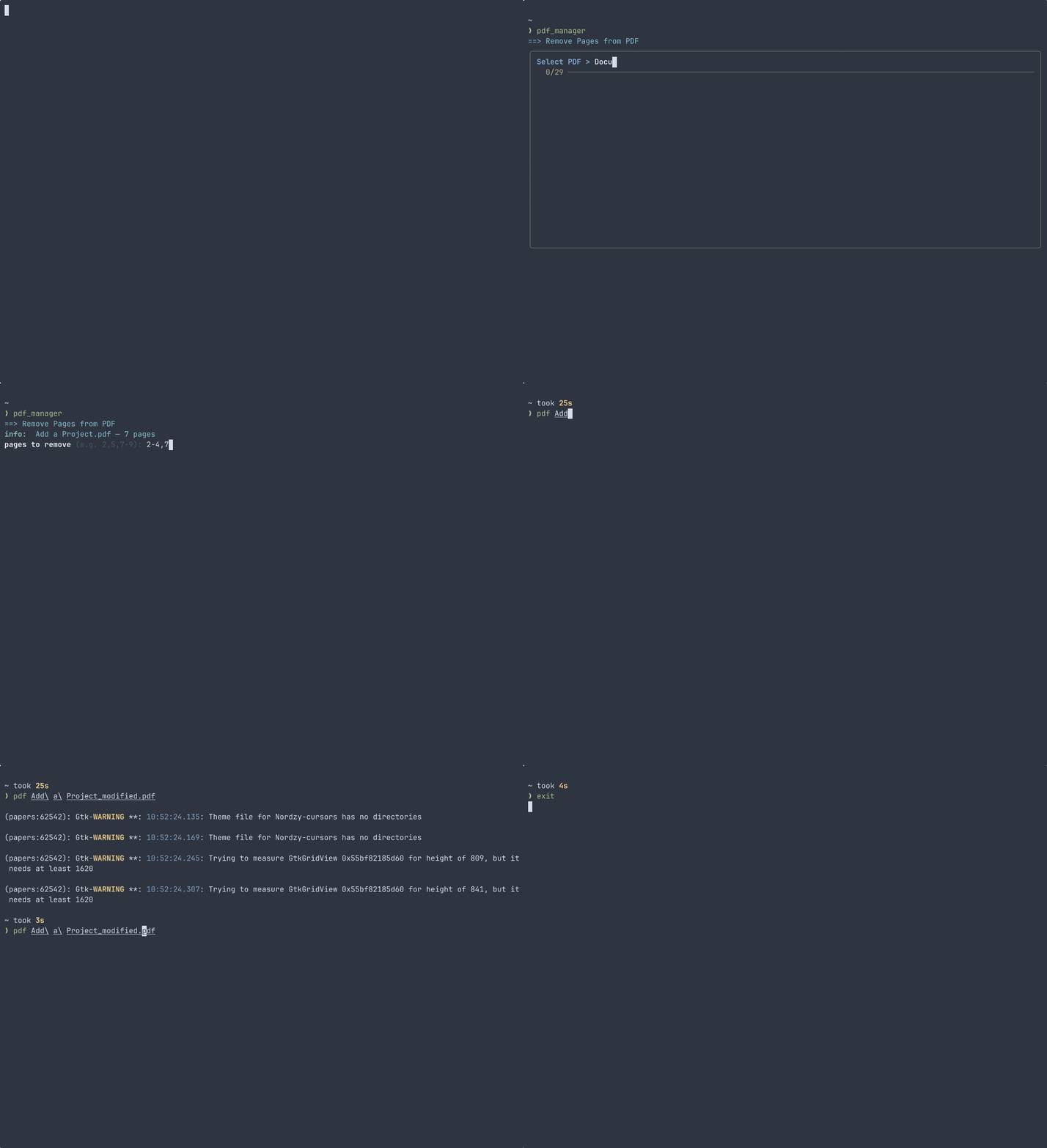
Link to script: https://codeberg.org/Vaishnav-Sabari-Girish/dotfiles/src/branch/main/zsh/.local/bin/pdf_manager.zsh
Send and receive files via magic-wormhole 6 (wsend and wreceive)

Ever wanted to send files from your laptop to your phone or receive files from your phone to your laptop. It is possible using the magic-wormhole protocol. For laptop I use the magic-wormhole CLI and for phone I use the app Iyox Wormhole.
But the commands can be a little bit long and confusing. So there are now scripts to send and receive files.
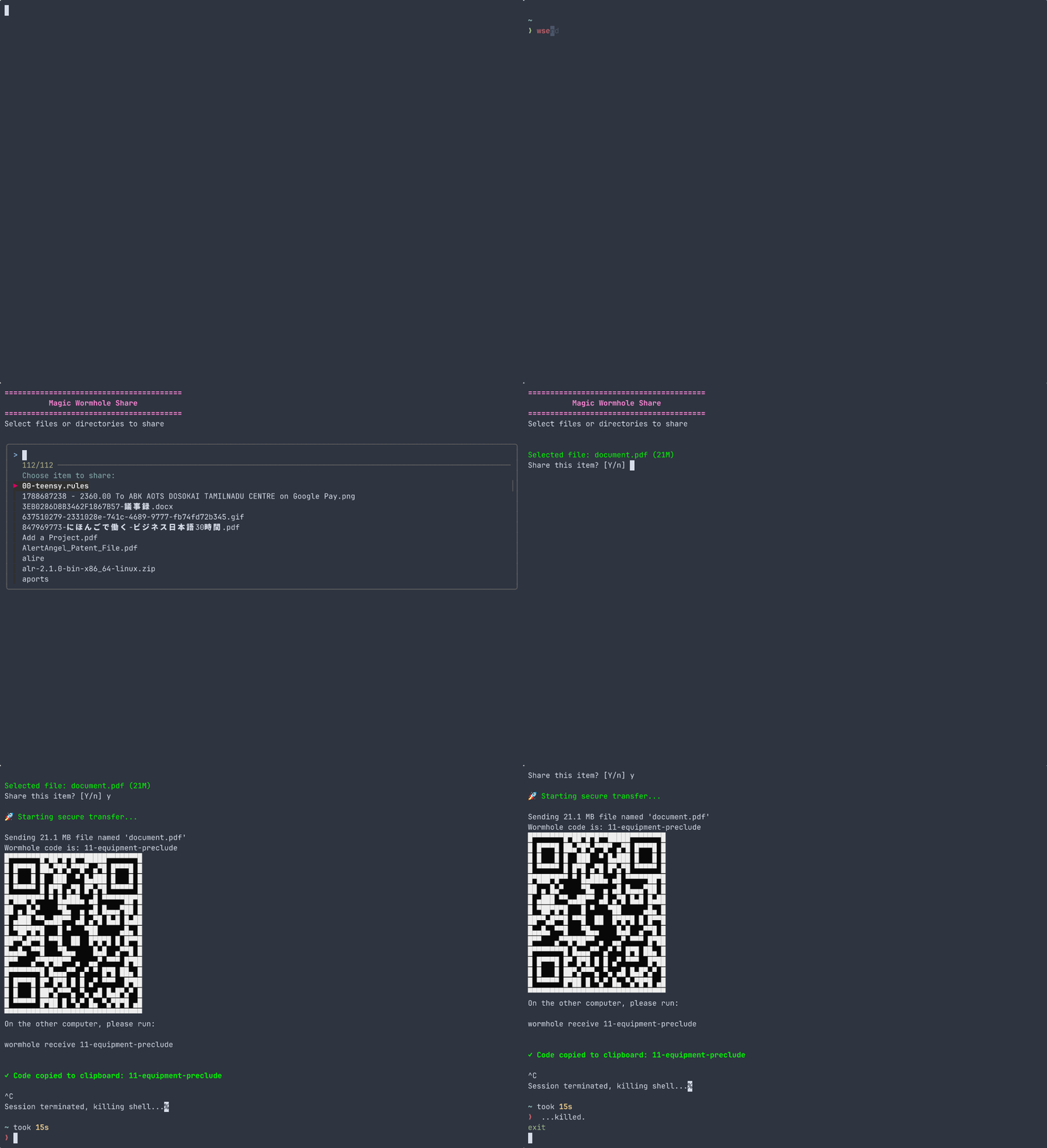
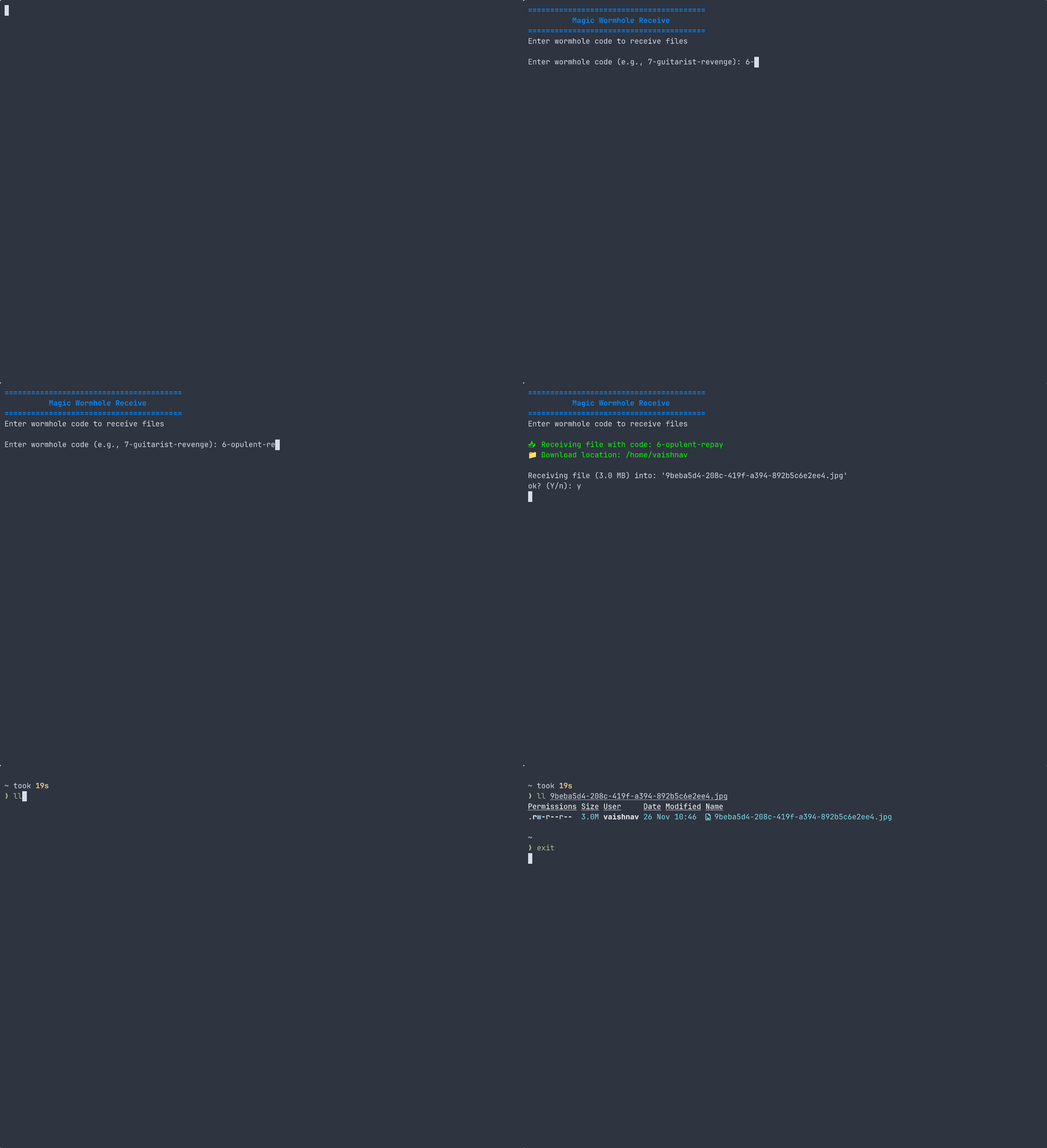
Link to scripts:
-
wsend: https://codeberg.org/Vaishnav-Sabari-Girish/dotfiles/src/branch/main/zsh/.local/bin/send_file.sh -
wreceive: https://codeberg.org/Vaishnav-Sabari-Girish/dotfiles/src/branch/main/zsh/.local/bin/receive_file.sh
Copy the tree structure of a project (tree_copy)
So if you always wanted to copy the output of the tree command to a README.md like so :
test_mkproj
├── Cargo.toml
└── src
    └── main.rs
Using the tree_copy makes it very simple
Link to script: https://codeberg.org/Vaishnav-Sabari-Girish/dotfiles/src/branch/main/zsh/.zsh_functions#L313
Copy contents of a file without entering a file (ccat)
So normally to copy a file, you need to open the file and copy it or, you could do this too:
cat file | wl-copyThe above is what this script basically does, but it works for one file. What if you have multiple files you want to copy.
That is when ccat comes in. You could do something like
ccat file1 file2 file3 file4And all 4 files will be copied.
Link to script: https://codeberg.org/Vaishnav-Sabari-Girish/dotfiles/src/branch/main/zsh/.zsh_functions#L418
Compositor level scripts I use
Some scripts I use in my niri workflow.
OCR script (Image to text)
This script allows me to select an area of the screen and extract the text from the captured screenshot
It also allows me to translate the captured language to English.
Translation is done using the translate-shell tool 7 and OCR is done using the tesseract 8 OCR engine.
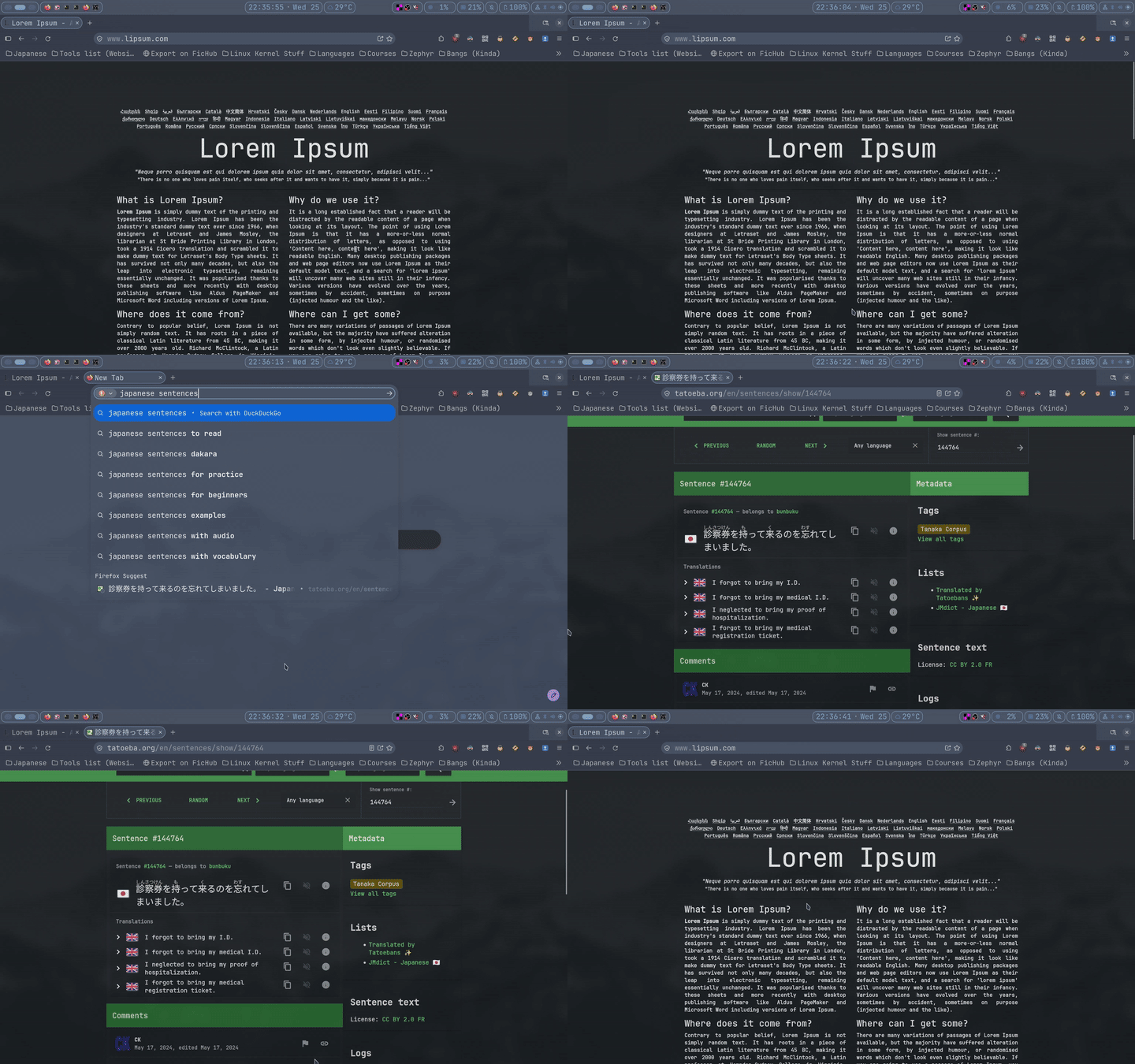
[!WARNING] Currently the script translates only the following languages to English:
- Japanese (Vertical script and normal script)
- Chinese (Simplified and Traditional)
[!NOTE] The small popup window that opens when I press the keybind is an external tool
wlr-which-key9 It allows you to add a keybind with sub-keybinds.
[!NOTE] Also the OCR idea was taken from
coko7dotfiles 10 (Thank you)
Link to script: https://codeberg.org/Vaishnav-Sabari-Girish/dotfiles/src/branch/main/niri/.config/niri/scripts/ocr.sh
Define a word
This script let's me select a word and gives me it's definition which I can then copy and paste.
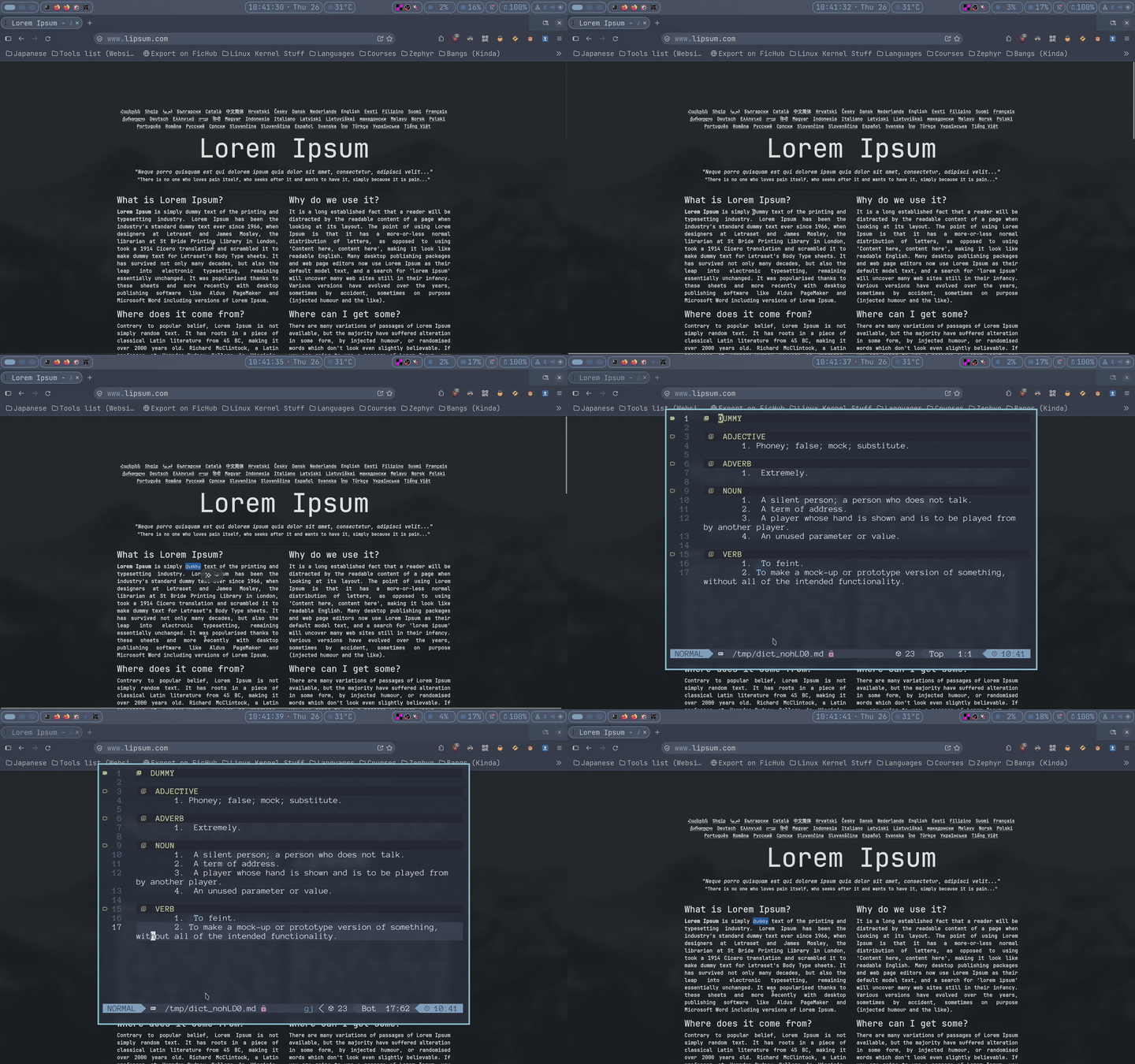
Link to script: https://codeberg.org/Vaishnav-Sabari-Girish/dotfiles/src/branch/main/niri/.config/niri/scripts/define.sh
That's most of my script I use everyday.
Thank you for reading.
Comments